
A common task after setting up Raspbian-based Raspberry Pi systems is to change the machine’s name (the hostname) because it will, by default, be set to “raspberrypi”.
While this may not be an issue if you have only one RPi on your network, for anyone developing Internet of Things (IoT) systems where there are multiple RPi’s, it would obviously be desirable to give them more useful hostnames.
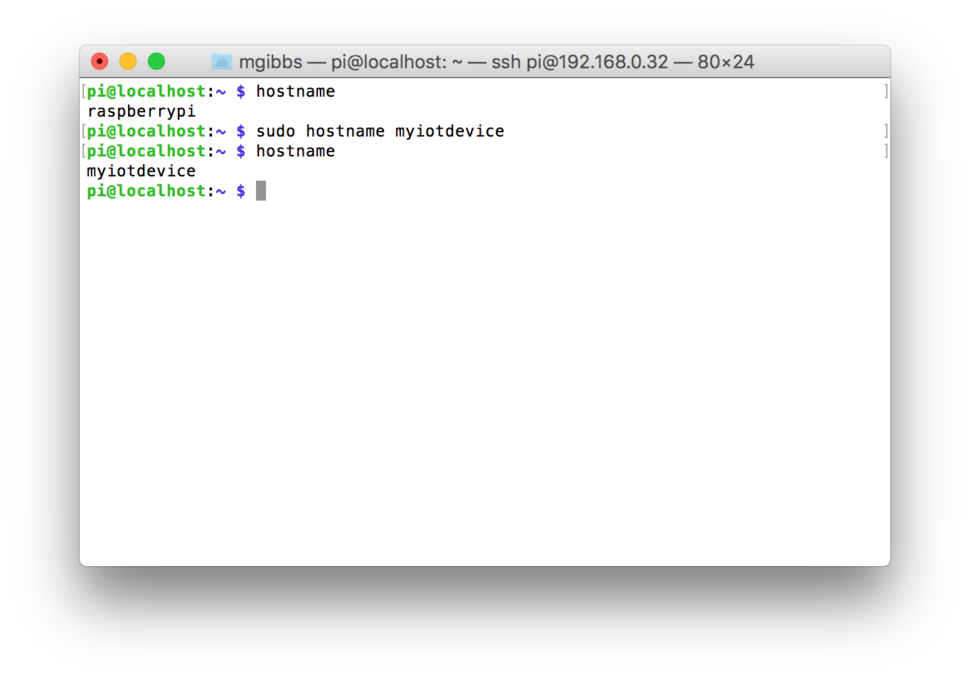
You can change the hostname temporarily using the hostname command (note that you must usesudootherwise the command will fail)but, once you reboot, the name will revert to what it was previously set to and what we usually want is to change the hostname permanently. There are a number of ways this can be achieved including using the hostname command in a shell script at startup which could perhaps be useful if you need a dynamically defined hostname but the method most often cited is by editing the hosts file, thusly:
sudo nano /etc/hosts
Here’s what you’ll see:
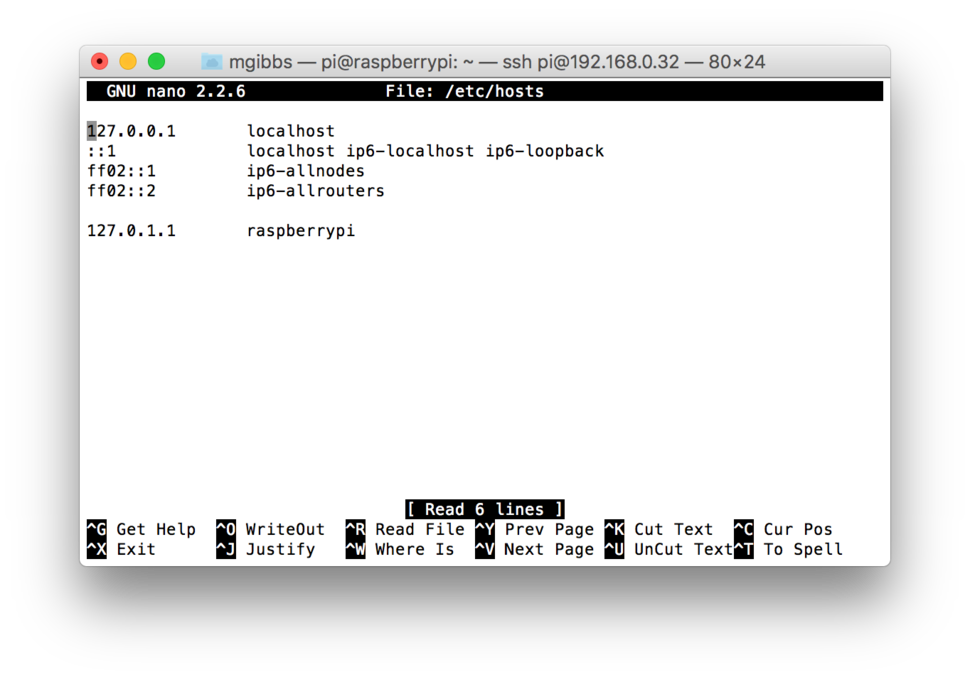
If you change the last line, in this case,127.0.1.1 raspberrypi, to something else, say, 127.0.1.1 barkometer (in honor of my Barkometer series), then, after rebooting, that will be your machine’s hostname. Whatever you do, DO NOT change127.0.1.1; if you do, you will be annoyed by the consequences.
Want an even easier way to change your Raspberry Pi’s hostname? Try using hostnamectl. This command, which is available on pretty much every Linux distro including Raspbian:
… distinguishes three different hostnames: the high-level “pretty” hostname which might include all kinds of special characters (e.g. “Lennart’s Laptop”), the static hostname which is used to initialize the kernel hostname at boot (e.g. “lennarts-laptop”), and the transient hostname which is a fallback value received from network configuration. If a static hostname is set, and is valid (something other than localhost), then the transient hostname is not used.
Here’s the default output; the command:
hostnamectl status
… outputs the same information:
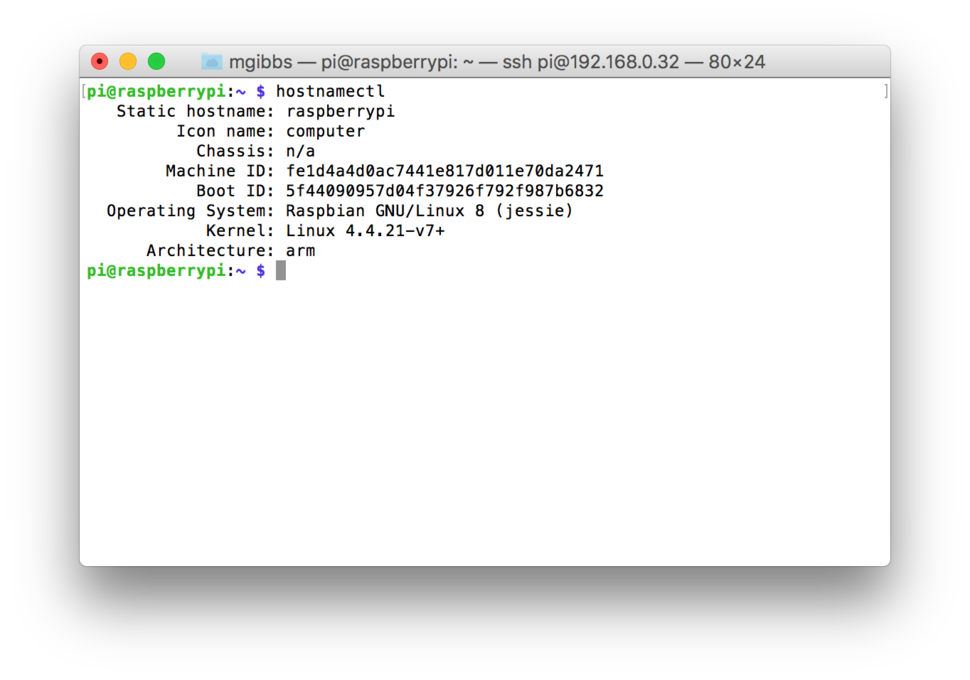
There are actually three hostnames: Static, transient, and “pretty”; the latter is a string that can contain any characters including those that can’t be used in RFC 1123 hostnames. The command:
sudo hostnamectl set-hostname “Barkometer”
… sets the static, and pretty hostnames (the transient hostname is set to null, i.e.""). Again, you must usesudoor the command will fail.
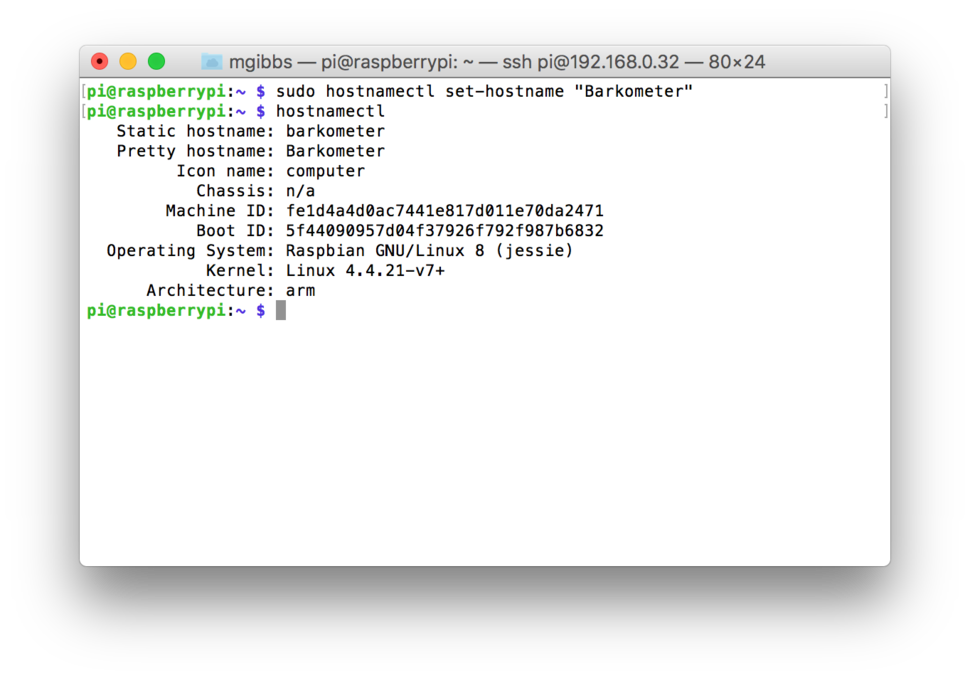
Note in the above screenshot that if the pretty hostname is specified and the static hostname wasn’t then the pretty name will be made RFC 1123 compliant by replacing uppercase with lowercase and spaces with underscores, and by omitting special characters before it’s copied into the static hostname. You can specifically set any of the three hostnames, for example:
sudo hostnamectl --transient set-hostname “barkometer”
sudo hostnamectl --static set-hostname “barkometer”
sudo hostnamectl --pretty set-hostname “barkometer”
… butnote thathostnamectlwon’t allow you to specifically set a static hostname to a string that isn’t RFC 1123 complaint.Here’s an example of having set the pretty hostname to “Barkometer” (which is then transformed to “barkometer” for the static hostname) then having set the transient hostname to something different, for example, “Test”:
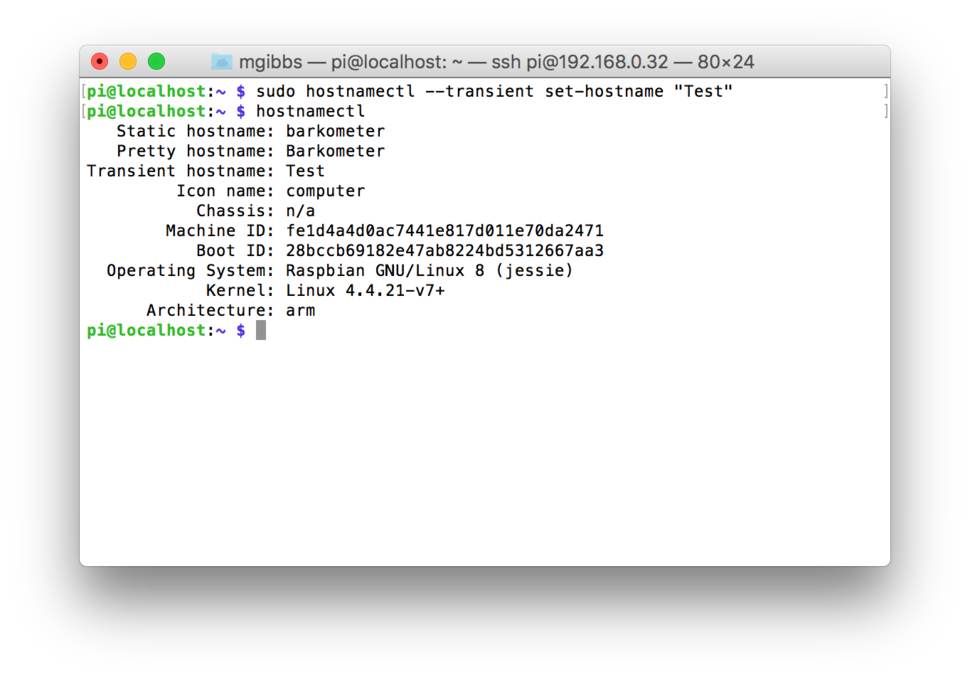
Perhaps it’s a bug but the transient hostname can be set to a string that isn’t RFC 1123 complaint and which is then used when the hostname is required.
A cool feature of hostnamectl is the ability to remotely set hostnames using SSH so, if the host you’re on and the target machine you want to rename both havehostnamectlinstalled:
sudo hostnamectl -H pi@192.168.0.32 set-hostname “Barkometer”
… will launch an SSH session, connect to the target machine, request your password, and set the hostnames accordingly (you can also use the--static,--transient, and--prettyoptions with -H).
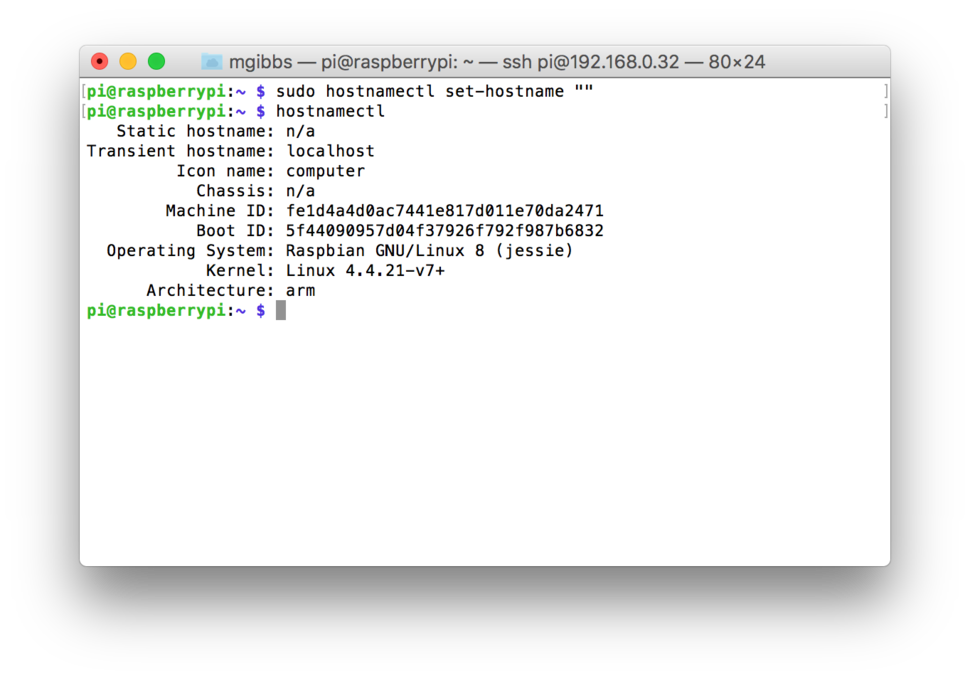
Finally, under Raspbian, specifying an empty string ("") without specifying a hostname:
sudo hostnamectl set-hostname “”
… will show the static hostname as"n/a",the transient hostname set to localhost (which is used when the hostname is presented to the network services), and the pretty hostname to null,so it isn’t displayed, After rebooting, that’s how the hostnames will still be set.
Comments? Thoughts? Drop me a line or comment below then follow me on Twitter and Facebook.